Chibi AI Edit Prompt: Transform Photos Into Adorable Characters
Transform any photo into adorable chibi art with this AI edit prompt. Popular for avatars, social media, and cute character creation from real photos.
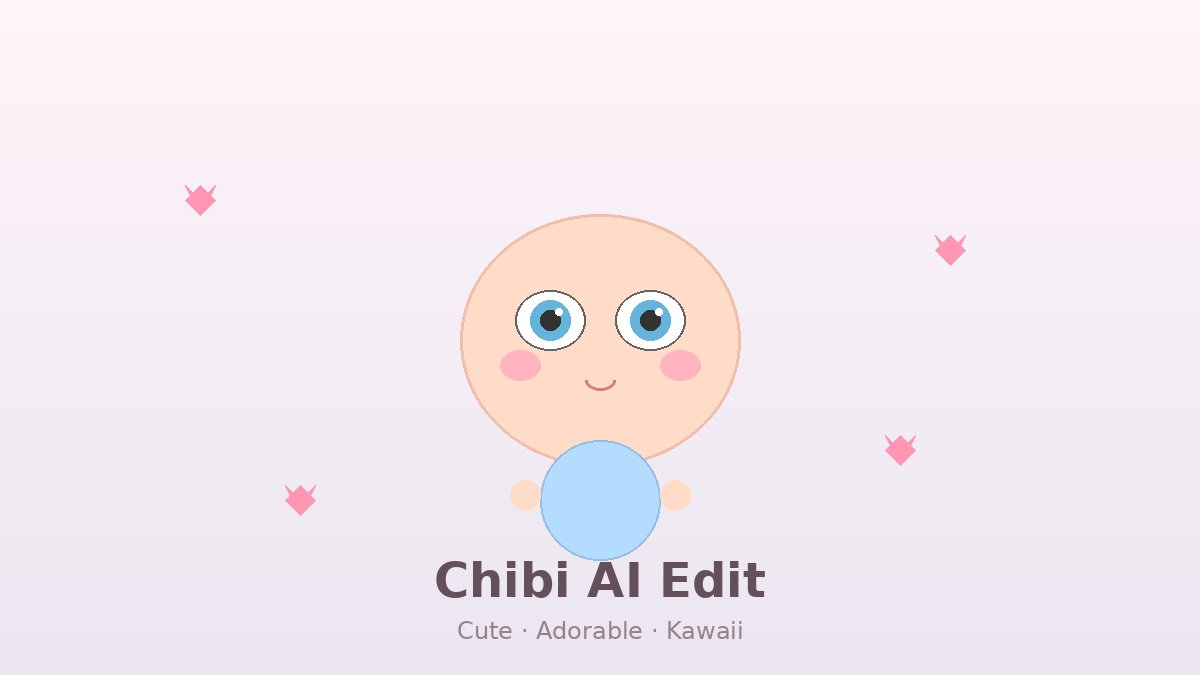
Prompt
Chibi AI transformation prompt for converting photos into cute anime-style characters:

"Transform photo into chibi anime character: Enlarge head to 1.5x body ratio with oversized sparkling eyes, shrink body to 2.5 heads tall, apply rounded soft facial features with tiny nose and mouth, add blush circles on cheeks at 30% opacity, style hair into chunky simplified anime shapes with highlight strands, simplify clothing into clean bold shapes with minimal folds, add tiny hands and feet with 3 fingers, apply pastel color palette with soft shading, add white catchlights in eyes at 2 o'clock position, include tiny floating heart or star accessories, and render with clean cell-shaded anime style with soft gradient backgrounds."

Works with Midjourney's niji model, Stable Diffusion with anime checkpoints, and DALL-E for consistent character creation.
How to Use
- 1
Copy the chibi transformation prompt to your clipboard.
- 2
For strong results, use a clear front-facing portrait with visible facial features.
- 3
In Midjourney: use --niji 6 parameter for optimized anime output. Upload your photo as an image prompt plus this text.
- 4
In Stable Diffusion: use an anime checkpoint like AnythingV5 or Counterfeit, with ControlNet OpenPose to preserve the pose.
- 5
For multiple characters: process each person separately, then composite them together maintaining consistent chibi proportions.
- 6
Use the result as social media avatars, Discord icons, or commission samples.
When This Prompt Works Best
Clear front-facing portraits where facial features are easy to identify
Photos with simple clothing that translates well to simplified anime shapes
Social media avatars, Discord icons, and cute character commissions
Group photos where each person can be processed individually for consistent style
Common Mistakes to Avoid
Using side-profile photos makes the oversized chibi head proportions look strange
Complex patterns and textures in clothing do not simplify well into cell-shaded art
Low-resolution source photos lose detail needed for accurate likeness
Processing multiple people in one prompt leads to inconsistent proportions
Lighting Tips
Even, frontal lighting keeps facial features visible for accurate transformation
Avoid heavy shadows on the face — they confuse AI models about feature placement
A ring light or softbox creates the flat, clean look that chibi styles favor
Colorful ambient lighting can be preserved as hair or eye highlights in the final art
When To Use This Prompt
The Chibi AI Edit Prompt is your tool for turning everyday portraits into irresistibly cute, shareable characters. It is widely used by streamers building branded avatar sets, couples creating matching profile pictures, and artists producing quick commission previews. Use it when you want to lower the emotional barrier of a formal photo — chibi art feels approachable, playful, and universally appealing. It also works well for merchandise mockups, sticker designs, and event invitations where a lighthearted tone matters. If your audience enjoys anime culture, Kawaii aesthetics, or personalized cartoon art, this prompt delivers instant charm.
Best Results Tips
Supply a front-facing, well-lit portrait with a neutral expression; extreme angles or heavy shadows distort the chibi proportions.
Simplify clothing descriptions in your prompt to core shapes and colors; intricate patterns rarely survive the stylization process.
Use an anime-specialized model such as Midjourney Niji 6 or a dedicated Stable Diffusion anime checkpoint for on-model anatomy.
Process individuals separately and composite afterward; group prompts often produce uneven head sizes and inconsistent quality.
Include 2-3 defining personal traits (hairstyle, glasses, accessories) to strengthen likeness without overcomplicating the design.
Set denoising strength between 0.6 and 0.7 in image-to-image workflows to balance transformation with feature preservation.
Export at high resolution even if the final use is small; clean lines scale down better than they scale up.
Before You Generate
This prompt is built for fun, personality-driven content and casual commercial use. It is not suited for formal corporate branding, realistic editorial portraiture, or contexts where anatomical accuracy is critical. If your source photo includes multiple people, complex group poses, or heavily obscured faces, the chibi conversion may struggle to maintain coherence. Additionally, if you need to match an existing intellectual property style closely, be mindful of copyright boundaries. Treat this prompt as a starting point for original character art rather than a replication engine.
Prompt Variations
Try these related versions for different creative directions.
Chibi Icon — Minimal Avatar Style
"Transform photo into minimal chibi icon: Enlarge head to 1.4x body ratio with large expressive eyes, shrink body to 2 heads tall, apply rounded facial features with dot eyes and tiny smile, add soft blush circles at 25% opacity, style hair into simple geometric shapes with one highlight, simplify clothing into solid color blocks, apply pastel palette with flat shading, add white catchlights, include one small star accessory, and render with clean thick outlines on transparent background."
Chibi Couple — Matching Pair Set
"Transform two photos into matching chibi couple: Enlarge heads to 1.5x body ratio with oversized sparkling eyes, shrink bodies to 2.5 heads tall, apply rounded soft facial features with tiny noses and mouths, add blush circles at 30% opacity, style hair into chunky simplified anime shapes with highlight strands, simplify outfits into coordinated color palette with minimal folds, add tiny hands with 3 fingers, apply pastel color palette with soft shading, add white catchlights at 2 o'clock, include tiny floating heart accessories between the pair, and render with clean cell-shaded anime style on soft gradient background."
Chibi Fantasy — Magical Character Version
"Transform photo into fantasy chibi character: Enlarge head to 1.5x body ratio with oversized glowing eyes, shrink body to 2.5 heads tall, apply rounded soft facial features with tiny nose and mouth, add blush circles at 30% opacity, style hair into chunky anime shapes with magical color streaks, simplify clothing into enchanted robes with minimal folds and rune details, add tiny hands with 3 fingers holding a miniature wand, apply jewel-tone palette with soft shading, add white catchlights and star-shaped pupils, include tiny floating crystal accessories, and render with clean cell-shaded anime style with mystical gradient background."
Frequently Asked Questions
What is a chibi character style?
Chibi is a Japanese art style featuring characters with oversized heads, large expressive eyes, and tiny bodies — typically 2-3 heads tall. The style emphasizes cuteness and simplicity, making it popular for merchandise, avatars, and casual anime art.
Can AI accurately capture my likeness in chibi style?
AI can capture general features like hair color, eye shape, and clothing style. For stronger likeness, use image-to-image with high denoising strength (0.6-0.7) and include specific descriptors like 'wearing red glasses' or 'blonde bob haircut' in the prompt.
Which AI model is ideal for chibi transformations?
Midjourney Niji 6 produces the highest quality chibi art. Stable Diffusion with anime checkpoints offers more control. DALL-E 3 understands the concept well but may need multiple attempts for consistent anime styling.
How do I make chibi edits of multiple people?
Process each person individually for strong results. Use the same seed and checkpoint for consistency. Composite the final chibis into a group scene using Photoshop or Canva. Alternatively, use Midjourney with multiple image prompts and the --cref parameter.
Can I use chibi AI edits commercially?
Check the terms of your AI platform. Midjourney paid plans allow commercial use. Stable Diffusion outputs are generally unrestricted. Always verify you have rights to the source photo before transforming it, especially for client work.
How do I preserve my outfit details in chibi form?
Mention specific clothing items and colors explicitly in the prompt. AI tends to simplify garments into generic shapes unless guided. Adding descriptors like 'red plaid skirt,' 'denim jacket with pins,' or 'yellow raincoat' helps the model retain recognizable style elements.
Why do my chibi results sometimes look creepy or off-model?
Creepy chibi results usually come from incorrect head-to-body ratios, overly detailed facial features, or inconsistent eye sizing. Ensure your prompt specifies 2.5 to 3 heads tall, rounded soft features, and simplified anatomy. Using a dedicated anime model like Niji 6 dramatically reduces off-model output.
Related Prompts
Ghost Girlfriend AI Edit: Create Ethereal, Haunting Portraits
Create stunning ghost girlfriend AI edits with this trending prompt. Ethereal, translucent, and hauntingly beautiful portrait effects for your photos.
Aesthetic RSP Prompt: Create Dreamy, Trending Photo Edits
Get the trending aesthetic RSP prompt. Create dreamy, moody, and visually stunning photo edits with this widely used AI editing formula for social media.
AI Editor RSP Editing Prompt: Transform Photos Like a Pro
Discover the widely used AI editor RSP editing prompt. Transform photos with professional retouching, color grading, and stunning visual effects instantly.
RSP Editing Prompt: The Complete AI Photo Workflow
Master the widely used RSP editing prompt workflow. Step-by-step guide to retouch, style, and polish any photo using AI tools for professional results.
Browse more AI photo editing prompts in our AI Prompt Library. We add new RSP prompts weekly for cinematic, aesthetic, anime, and creative photo transformations.